TagsLinks
5-in-1 Smartphone Gimbal Stabiliser with AI Follow & Tripod Stand
5-in-1 Smartphone Gimbal Stabiliser with AI Follow & Tripod Stand
Couldn't load pickup availability
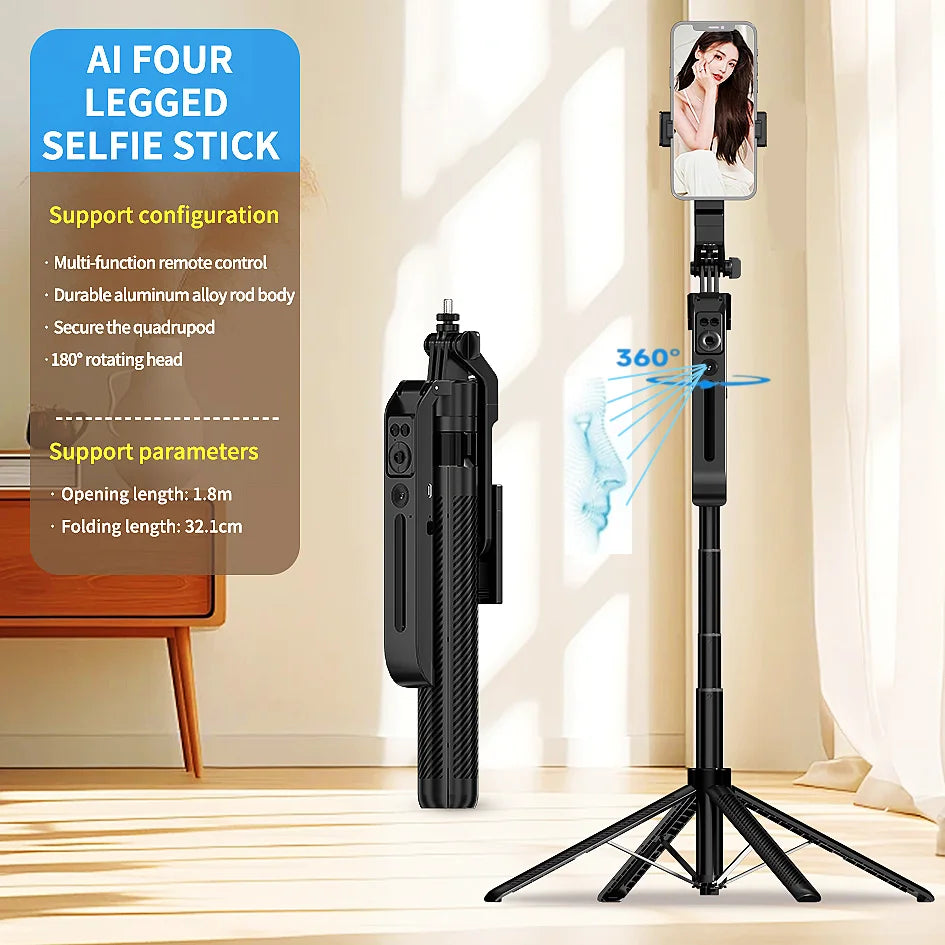
Stabilise your videos effortlessly with this 5-in-1 Smartphone Gimbal Stabiliser — a multi-function tool designed to improve filming quality instantly. Featuring anti-shake technology, AI face tracking and a built-in tripod, it allows smooth recording for selfies, travel clips, product videos, streaming and everyday content.
With a detachable Bluetooth remote and adjustable phone mount, you can capture stable footage hands-free from any angle. Perfect for content creators, vloggers, social media users and anyone who wants professional-looking video without expensive equipment.
Compact enough to carry anywhere, lightweight and easy to use — ideal for filming indoors, outdoors, on holiday or at events.
✨ Features
5-in-1 gimbal stabiliser, selfie stick, tripod & Bluetooth remote
AI face tracking keeps you centred in frame automatically
Anti-shake stabilisation for smooth video recording
Adjustable phone holder for portrait and landscape filming
Multi-angle shooting for selfies, product videos, travel and events
Stable tripod base for hands-free recording
Lightweight, portable and USB rechargeable
Compatible with most iOS & Android smartphones
📊 Specifications
Property Detail
Product Type Smartphone gimbal stabiliser & tripod
Functions Stabilisation, AI tracking, Bluetooth remote, tripod
Connectivity Bluetooth remote pairing (phone compatibility required)
Mount Adjustable phone holder (portrait / landscape)
Material Lightweight ABS / aluminium alloy (varies by supplier)
Power Rechargeable (via USB as listed)
Use Cases Vlogging, TikTok, Instagram, travel, photography, product videos
Included Gimbal stabiliser, Bluetooth remote (if included), USB cable (if supplied)
🛠 How to Use
1. Charge the stabiliser fully before first use.
2. Pair the Bluetooth remote with your smartphone.
3. Insert your phone into the holder and adjust angle.
4. Activate anti-shake or tracking mode (if supported by model).
5. Use the remote to start video recording or take photos.
6. Extend tripod legs
Share